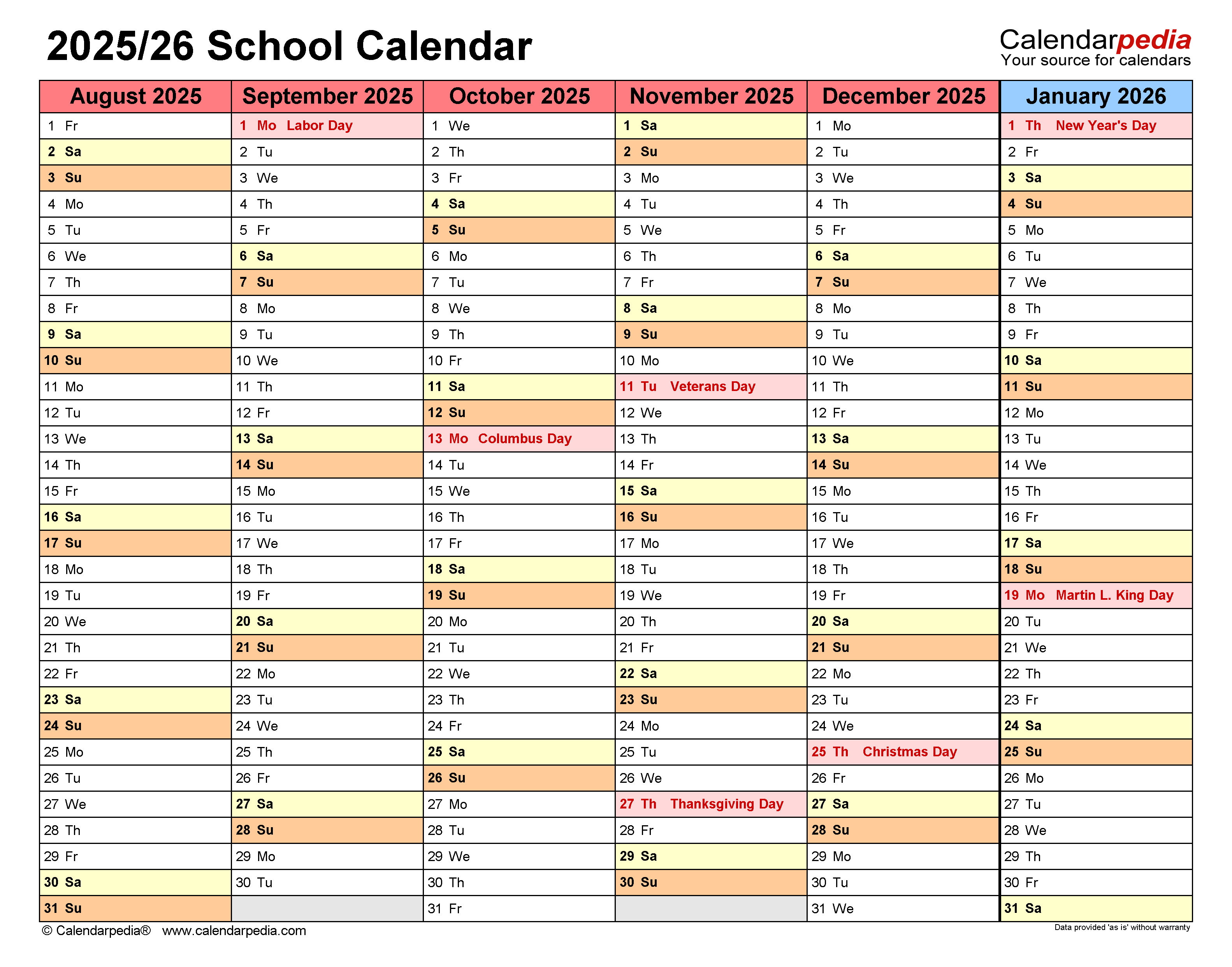
Colleges overflow with deadlines—registration, drop/add, finals, breaks. Miss one, and the ripple affects grades, finances, and momentum. At Ivy Tech Community College, Indiana’s largest two-year institution, the school calendar isn’t just a reference. It’s the backbone of academic success. Whether you're a new student, parent, or returning adult learner, mastering the Ivy Tech school calendar gives you control.
This guide breaks down how to use the calendar strategically—beyond just marking exam dates. You’ll learn how to align personal responsibilities, navigate multiple term formats, and avoid common pitfalls that derail enrollment or financial aid. Real students misstep here every semester. Don’t be one of them.
How the Ivy Tech Academic Calendar Works
Ivy Tech operates on a semester system with fall, spring, and summer terms. But unlike traditional four-year schools, it offers multiple start dates within each semester—called mini-terms or flex terms. A single fall semester might include:
- 16-week traditional courses
- 8-week A-term (early start)
- 8-week B-term (late start)
- 12-week hybrid options
These overlapping sessions mean students can begin classes in August, October, January, March, or June. That flexibility is powerful—but only if you understand how it impacts your calendar.
For example, a student enrolling in an 8-week A-term course in fall will have exams and deadlines compressed. That same student might take a 16-week course running parallel. Without color-coding or integration into a personal planner, key dates blur together.
Pro Tip: Always check your course syllabus and the official Ivy Tech academic calendar. Some instructors follow the campus-wide schedule; others set assignment due dates based on term-specific timelines.
Critical Dates Every Student Must Track
Missing a deadline can cost money or delay graduation. These are non-negotiable calendar entries:
#### Add/Drop Period You have roughly the first 5–7 days (varies by term length) to add or drop classes without a financial penalty or transcript notation. After that, withdrawing results in a "W" on your record and may impact financial aid eligibility.
Example: A student drops a class on Day 8 of an 8-week term. It counts as a withdrawal, not a drop. Three such withdrawals in a year could trigger Satisfactory Academic Progress (SAP) review.
#### Tuition Payment Deadline Tuition is due before classes begin. Ivy Tech allows deferred payment plans, but you must enroll in them before the cutoff. Missing the date means automatic class cancellation.
#### Last Day to Withdraw This date varies significantly between 16-week and 8-week courses. A student in a B-term course might have until mid-November to withdraw, while their A-term class ended that withdrawal window in October.
#### Finals Week Final exams are not always held during the last scheduled class. Ivy Tech publishes final exam schedules separately. Assuming your last class is the final could mean missing the actual exam.
#### Financial Aid Disbursement Dates Pell Grants and loans disburse after the add/drop period. If you're counting on aid to cover living expenses, know when funds hit your account—typically 7–14 days after term start.
Where to Find the Official Ivy Tech School Calendar

The primary source is the Ivy Tech website, under "Academic Calendar" in the student or campus resources menu. But not all campuses publish identical details. Here’s how to get it right:
- Select Your Campus: Ivy Tech has over 25 locations. Academic calendars may vary slightly by campus due to local holidays or facility closures. Always choose your home campus.
- Filter by Term: Use the dropdown to select fall, spring, or summer.
- Download the PDF: The official calendar is usually a downloadable PDF with color-coded sections—academic, financial, and administrative dates.
- Sync to Your Device: Many students overlook this. Export key dates to Google Calendar or Outlook. Set reminders 3–5 days in advance.
Warning: Third-party sites sometimes host outdated versions. Always verify dates against the .edu domain.
Planning Your Semester
with the Calendar
Let’s walk through a real-world scenario.
Jamal is a part-time student working full-time in Indianapolis. He enrolls in two courses for fall:
- Biology 101 – 16-week course
- English Composition – 8-week B-term (starts October 14)
Here’s how he uses the Ivy Tech school calendar:
- August 19: Fall semester begins. He logs into Canvas, downloads syllabi, and marks all assignment deadlines.
- August 22: He confirms his tuition is paid via his employer’s tuition assistance program.
- August 26: Add/drop ends. He’s locked into both classes unless he withdraws later.
- October 14: B-term begins. He knows assignments ramp up quickly—papers due by week 3.
- November 11: Veterans Day. Campus closed, but online submissions still due.
- December 6: Last day of classes. He checks the final exam schedule—Biology final is December 9.
- December 10–16: Finals week. He blocks off time for review and exams.
Without referencing the Ivy Tech calendar, Jamal might have missed the B-term start date, assumed Veterans Day canceled assignments, or shown up for finals on the wrong day.
Common Mistake: Students assume all courses follow the same timeline. They don’t. Always verify term length and session type in your MyIvy account.
How Faculty and Staff Use the Calendar Differently
Instructors don’t just teach—they plan ahead. The academic calendar dictates:
- Professional development days (no classes held)
- Grading deadlines (final grades due 72 hours after finals)
- Break periods (no office hours during winter or spring break)
Administrative staff rely on it for enrollment reporting, financial aid certification, and federal census dates. For example, the federal financial aid “census date” falls around Day 12 of most terms. That’s when your enrollment status is locked in for aid disbursement. Dropping a class after that date won’t reduce your tuition but could lower your aid.
Workflow Tip: Faculty often build syllabi 8–12 weeks in advance using the published academic calendar. Students can do the same—use the calendar to map out study blocks before midterms even appear on course schedules.
Limitations and Gaps in the Ivy Tech Calendar
While comprehensive, the official calendar has blind spots:
- No personal integration: It doesn’t sync automatically with Apple Calendar or Google. You must manually input dates.
- Limited holiday context: It lists campus closures but doesn’t explain religious or cultural observances that may affect class participation.
- No buffer warnings: There’s no alert system for near-miss deadlines. If you forget to check, you’re on your own.
- Varied campus updates: Some locations post construction closures or weather-related delays separately. The main calendar won’t include them.
Workaround: Create a “semester dashboard” in a notebook or digital tool like Notion. Combine official dates with personal milestones—work shifts, family events, health appointments.
Comparing Ivy Tech Calendar to Other Indiana Colleges
How does Ivy Tech’s structure stack up?
| College | Term System | Start Options | Calendar Clarity | Flexibility |
|---|---|---|---|---|
| Ivy Tech | Semester + mini-terms | 5+ per year | High (PDF + online) | Very High |
| Vincennes University | Traditional semester | 2 main starts | Medium | Moderate |
| Purdue Global | 10-week quarters | Monthly starts | High | High |
| Indiana University (Bloomington) | Semester | 2 starts | High | Low |
Verdict: Ivy Tech wins on flexibility and access. The ability to start courses mid-semester is rare among public colleges. But that complexity demands more from students. You gain control—but only if you manage it.
Maximize the Calendar: 5 Action Steps
Don’t just view the calendar. Use it.
- Download the PDF for your campus and term—don’t rely on memory.
- Import dates into your personal calendar with alerts set 3 days and 1 day in advance.
- Highlight deadlines in color: red for financial, blue for academic, green for breaks.
- Cross-reference with syllabi—ensure your course schedule matches institutional dates.
- Share key dates with family or employers—especially exam weeks or on-campus lab days.
Students who treat the Ivy Tech school calendar as a living document—not a one-time download—see higher retention and better time management.
The Ivy Tech school calendar is more than a schedule. It’s a roadmap for success in a high-flexibility, high-responsibility environment. Understand the rhythm of mini-terms, respect the deadlines, and sync it with your real life. Do that, and you’re not just surviving college—you’re steering it.
Check your campus calendar today. Map your next term. Avoid the avoidable.
Frequently Asked Questions
What is the start date for fall semester at Ivy Tech? The fall semester typically begins in late August, but 8-week terms may start in August and October. Check your campus calendar for exact dates.
How do I find final exam dates on the Ivy Tech calendar? Final exam schedules are published separately under “Academic Resources.” They’re not listed on the main academic calendar.
Can I take classes year-round at Ivy Tech? Yes. Ivy Tech offers fall, spring, and summer terms with multiple start dates, including 8-week sessions.
Is the Ivy Tech calendar the same for all campuses? Most dates align, but local holidays or events may cause variations. Always select your campus when viewing the calendar.
Where do I find the tuition due date? Tuition deadlines are listed under “Financial Dates” in the academic calendar PDF.
Do online students follow the same calendar? Yes. Online courses follow the same academic and financial timelines as on-campus courses.
How far in advance is the Ivy Tech calendar released? The academic calendar for the next academic year is usually published by March or April.
FAQ
What should you look for in Ivy Tech School Calendar: Key Dates and Planning Tips? Focus on relevance, practical value, and how well the solution matches real user intent.
Is Ivy Tech School Calendar: Key Dates and Planning Tips suitable for beginners? That depends on the workflow, but a clear step-by-step approach usually makes it easier to start.
How do you compare options around Ivy Tech School Calendar: Key Dates and Planning Tips? Compare features, trust signals, limitations, pricing, and ease of implementation.
What mistakes should you avoid? Avoid generic choices, weak validation, and decisions based only on marketing claims.
What is the next best step? Shortlist the most relevant options, validate them quickly, and refine from real-world results.